Creating a Merge Request
The only way to contribute to the TANGO Library is by creating a Merge Request to the platform documentation GitLab repository following the process defined in Utils and Model Code Approval Process.
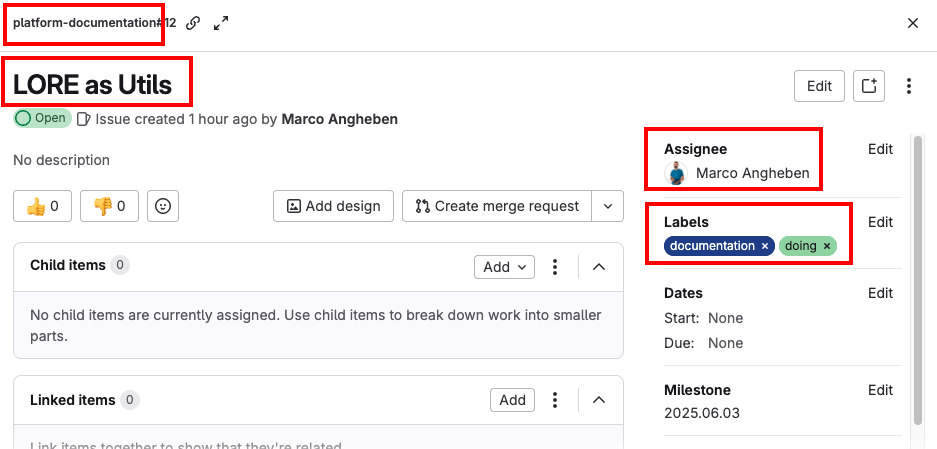
Create an issue
Access TANGO Ecosystem Gitlab repository.
Create an issue specifying (at least):
- project:
platform-documentation, - title,
- assignee: the person that is responsible for the contribution submission,
- labels:
documentation, ...
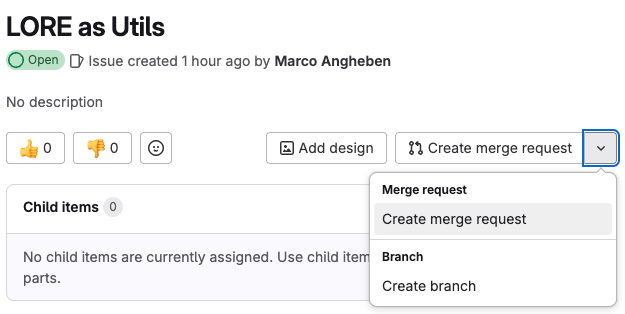
Create a Merge Request
Using the control available on the issue detail, create a dedicated merge request from main branch (no need to change anything).
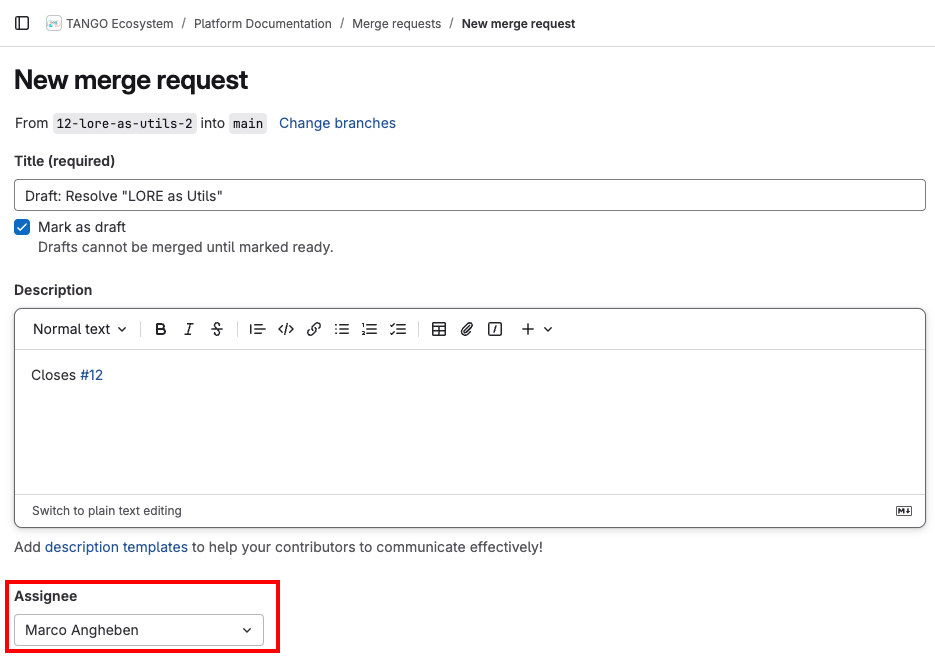
Set Merge Request properties
Set the properties (at least):
- assignee: the person that is responsible for the contribution submission.
In this phase, the MR is in a draft state and will be set to ready once commits have been pushed on.
Push your changes to dedicated Git branch
Clone the repo and follow the README file to run the project locally.
Create a dedicate markdown page under the section you are contributing to:
- tango-docs/docs/tango-library/tango-library-content/utils
- tango-docs/docs/tango-library/tango-library-content/model-code
The page should start with the following code:
---
sidebar_label: '<Place here the name of your contribution>'
sidebar_position: <Place here the index the page should have in sidebar menu>
---

# <Place here the name of your contribution>
In the page specify the following:
- link to the public Git repository;
- link to the documentation provided (purpose, functionality, installation instructions and usage examples);
- purpose, functionality and description of the contribution.
Push your commits to the repository.
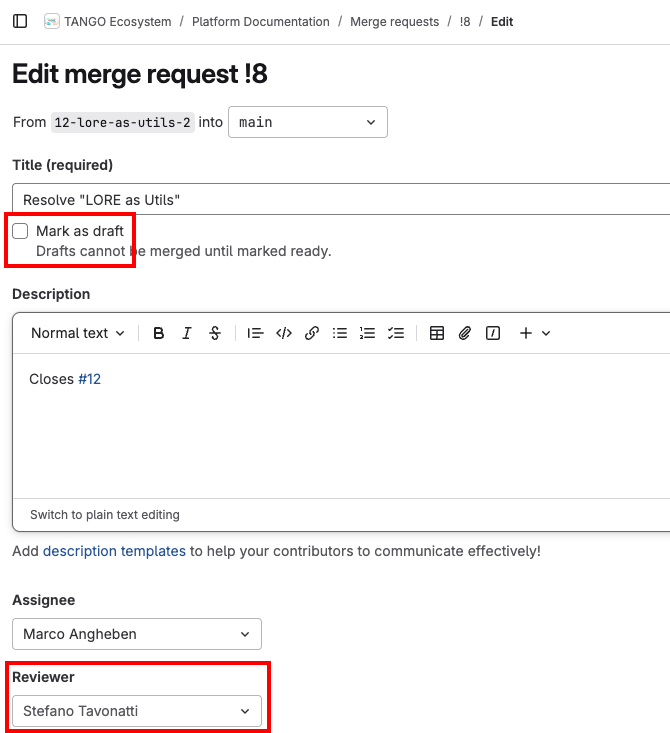
Mark as ready
Once all the changes have been pushed to the repository, set the MR as ready and set a TANGO Ecosystem maintainer as reviewer.